
Download macOS Big Sur – Free Secure macOS Upgrade for Mac
Overview of macOS Big Sur
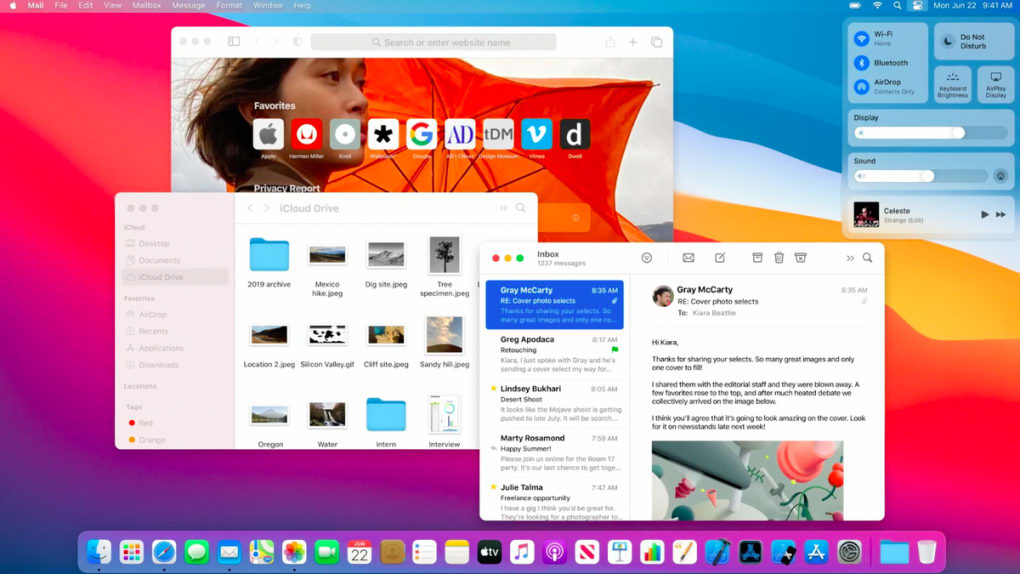
macOS Big Sur marks the seventeenth major release of Apple’s desktop operating system and is the first version built to run natively on ARM‑64 (Apple silicon) processors. Delivered as a free upgrade for existing Mac owners, Big Sur brings a visual redesign that feels both modern and familiar, reshaping the control centre, notification centre, and system icons to echo the look of iOS while preserving the power‑user capabilities that professionals expect from a macOS desktop. The update follows macOS Catalina and precedes macOS Monterey, positioning itself as a pivotal bridge between Intel‑based Macs and the new generation of Apple‑silicon machines.
Beyond aesthetics, Big Sur introduces performance enhancements, tighter integration with the wider Apple ecosystem, and a suite of privacy‑focused tools that keep user data safe. Whether you’re a student, a creative professional, or a casual user, the operating system promises smoother multitasking, faster app launches, and a more intuitive workflow. Its emphasis on security, speed, and a refined user experience makes it one of the most compelling free upgrades in Apple’s history.
Core Features & Design Improvements
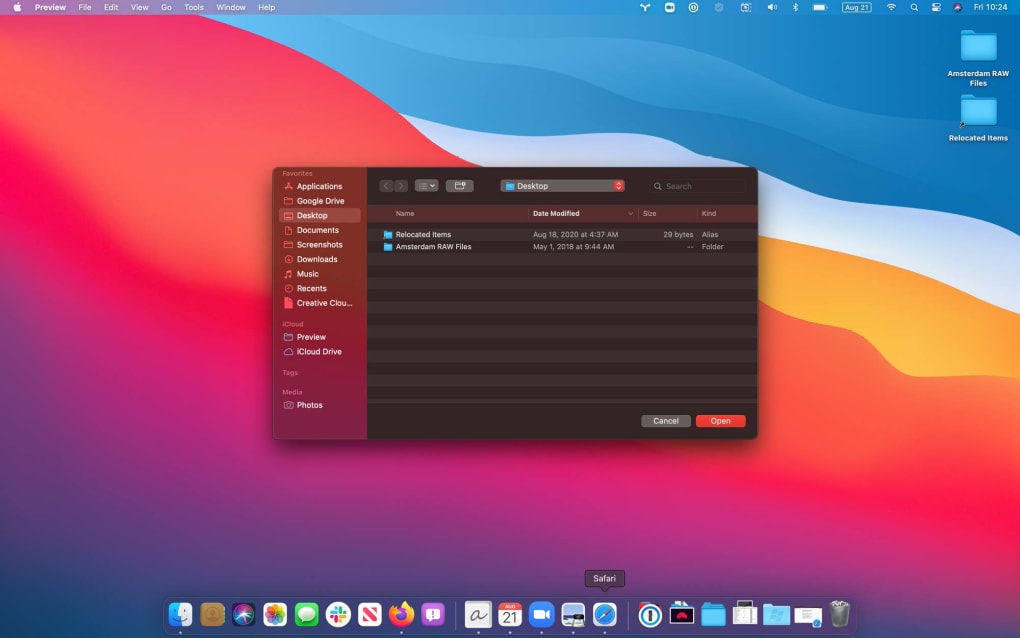
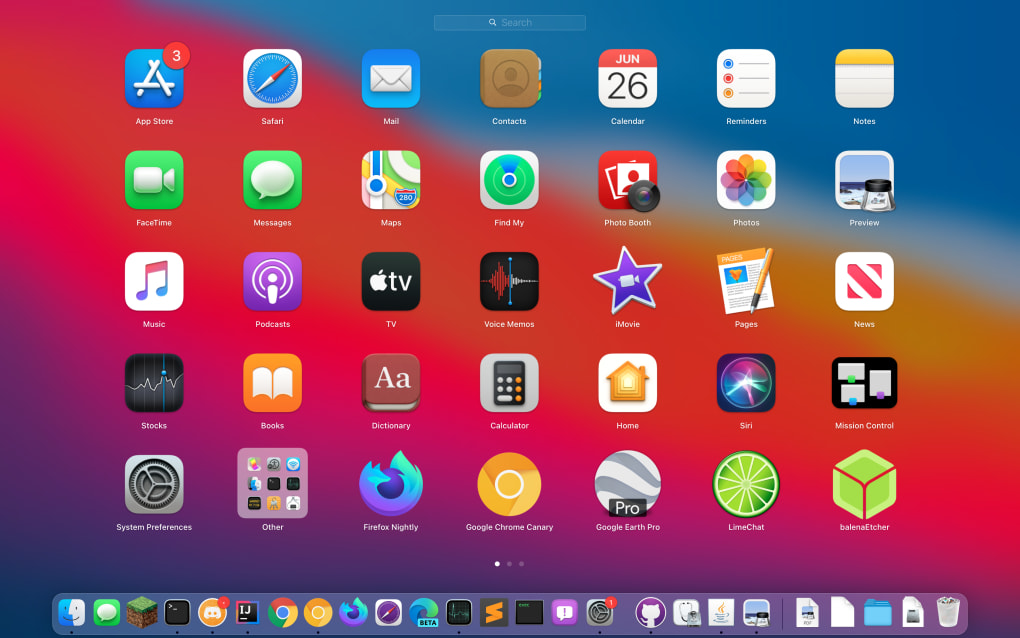
- Redesigned User Interface: Rounded corners, refreshed icons, and a translucent menu bar give macOS a cleaner, more spacious look that mirrors iOS 14.
- Control Center: Centralised quick‑access toggles for Wi‑Fi, Bluetooth, display brightness, and sound, mirroring the iOS experience.
- Notification Center & Widgets: New widget gallery, resizable widgets, and a streamlined notification list improve at‑a‑glance information.
- Safari 14 Upgrade: Customisable start page, redesigned tab bar, built‑in translation, enhanced privacy reports, and expanded extension support make Safari the fastest desktop browser on the market.
- Messages Enhancements: Pin conversations, improved search, and richer media handling for a more fluid chat experience.
- Maps Revamp: Curated recommendations for local businesses, improved indoor maps, and faster route calculations.
- Apple Silicon Optimisation: Native support for M1 chips delivers up to 2× faster performance and lower power consumption on compatible Macs.
- Privacy & Security Tools: Password monitoring, privacy prompts for extensions, and a detailed tracker‑blocking report in Safari safeguard personal data.
- Battery‑Life Enhancements: System‑level power management refinements extend unplugged usage on MacBooks.
- Universal Control (Future‑Ready): Although officially introduced in Monterey, Big Sur lays the groundwork for seamless cursor movement across iPad and Mac.
The feature set of macOS Big Sur is not just a collection of cosmetic tweaks; each element is engineered to boost productivity and reduce friction. The new Control Center, for example, consolidates frequently used settings into a single drop‑down, cutting down the number of clicks required to adjust display or sound preferences. Safari’s redesign focuses on both speed and privacy, delivering a browser that loads pages up to 50 % faster while giving users granular visibility into which trackers are being blocked. Meanwhile, Apple Silicon optimisation means that tasks such as video rendering, code compilation, and even everyday browsing feel snappier and more responsive, particularly on the latest MacBook Air and Mac mini models. In short, Big Sur’s feature list demonstrates Apple’s commitment to a harmonious blend of design elegance and raw performance.
Installation, Usage & Compatibility
Step‑by‑Step Installation Guide
Installing macOS Big Sur is straightforward and can be completed in under 30 minutes for most users:
- Backup Your Data: Use Time Machine or another backup solution to create a recent snapshot of your Mac.
- Check System Requirements: Ensure your Mac meets the minimum hardware specifications (see compatibility table below).
- Open Software Update: Click the Apple menu → “System Settings” (or “System Preferences” on older versions) → “Software Update”.
- Download the Installer: When macOS Big Sur appears, click “Upgrade Now”. The download size is roughly 12 GB.
- Follow On‑Screen Prompts: The installer will verify the download, then guide you through the installation process. Your Mac will restart multiple times.
- Complete Setup: After the final reboot, sign in with your Apple ID, enable iCloud services, and customise your new Control Center and widgets.
For Macs equipped with Apple silicon, the installer automatically selects the appropriate architecture, eliminating the need for Rosetta 2 translation in most cases. Users on Intel‑based Macs will still receive full support, though some performance‑intensive features may run slightly slower compared to native Apple‑silicon hardware.
System Compatibility (itemprop="operatingSystem")
| Compatible Mac Models | Minimum RAM | Storage Required |
|---|---|---|
| MacBook Air (Early 2020) – M1 | 8 GB | 12 GB free |
| MacBook Pro (13‑inch, 2020) – M1 | 8 GB | 12 GB free |
| Mac mini (Late 2020) – M1 | 8 GB | 12 GB free |
| iMac (Retina 5K, 27‑inch, 2020) | 8 GB | 12 GB free |
| MacBook Pro (16‑inch, 2019) – Intel | 16 GB | 12 GB free |
| Mac Pro (2019) – Intel | 32 GB | 12 GB free |
If your Mac is older than 2013, it will not be eligible for the upgrade. Apple provides a helpful “Check Compatibility” button within the Software Update pane to verify eligibility instantly.
Everyday Usage Tips
After the upgrade, spend a few minutes personalising the new Control Center. Drag your most‑used toggles—Wi‑Fi, Night Shift, Do‑Not‑Disturb—into the quick‑access area for one‑click control. Explore the redesigned Safari start page, which can be customised with your favourite shortcuts, frequently visited sites, and a weather widget. Finally, enable “Password Monitoring” in Safari’s privacy settings to receive alerts if any of your saved passwords appear in known data breaches. These small adjustments will help you get the most out of Big Sur’s modern workflow.
Pros, Cons, FAQ & Final Verdict
Pros & Cons
- Pros:
- Free upgrade with no hidden fees.
- Stunning visual redesign that improves readability.
- Native Apple‑silicon support delivers superior performance.
- Safari 14 is faster, more secure, and highly customisable.
- Enhanced privacy tools protect personal data.
- Control Center and widgets streamline daily tasks.
- Cons:
- Older Intel Macs may experience modest performance drops.
- Some legacy 32‑bit apps are no longer supported.
- Initial download size (≈12 GB) can be heavy on limited bandwidth.
- Minor UI quirks reported on first‑generation Apple silicon devices.
Frequently Asked Questions
Is macOS Big Sur compatible with my Intel‑based Mac?
Yes, Big Sur runs on Intel Macs released from 2013 onward. Performance is solid, though Apple‑silicon models see the biggest speed gains.
Can I revert to macOS Catalina after installing Big Sur?
Apple allows downgrades within a limited timeframe using a Time Machine backup taken before the upgrade. After that window, reverting becomes more complex.
Will my existing apps need to be updated?
Most modern apps are already optimized for Big Sur. However, 32‑bit applications will no longer run and may require an update from the developer.
How much free disk space do I need for the upgrade?
Apple recommends at least 12 GB of free storage for the download and installation process. Having extra space (20 GB+) ensures a smooth experience.
Is macOS Big Sur secure out of the box?
Big Sur includes advanced security features such as Gatekeeper, notarisation, and enhanced Safari privacy controls, making it one of the most secure macOS releases to date.
Conclusion & Call to Action
macOS Big Sur delivers a compelling blend of visual elegance, performance upgrades, and robust privacy tools—all at no cost to existing Mac owners. Whether you own a brand‑new M1 MacBook Air or an Intel‑based iMac from 2015, the upgrade promises a fresher, faster, and more secure computing environment. The redesign may take a short adjustment period, but the benefits—especially the revamped Control Center and the lightning‑fast Safari—quickly outweigh any learning curve. For users seeking a free, secure, and future‑proof operating system, Big Sur stands out as a must‑install. Download macOS Big Sur today via the Software Update pane, back up your data, and experience the next generation of macOS.







